

















Closed
Stray Kids(스트레이 키즈) <DO IT> Streaming Event Announcement
Stray Kids
STAFF
2025.11.21 04:45
Application Period
11.21 (FRI) 05:00
-
11.30 (SUN) 14:59
Eligible Applicants
· 1 penalty(ies) or less
Event Period
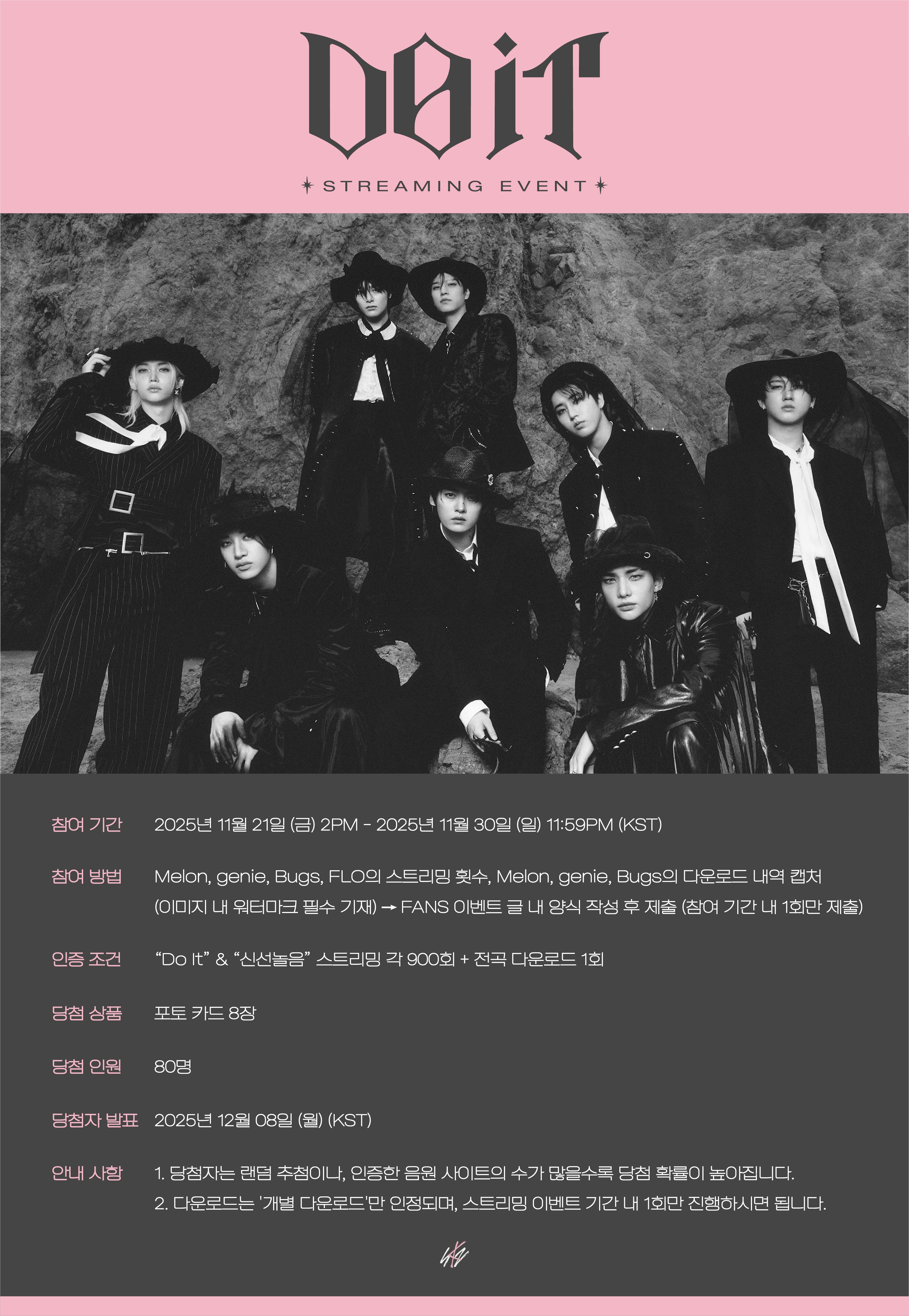
November 21, 2025 (Fri) 2PM - November 30, 2025 (Sun) 11:59PM (KST)
Eligibility
Participants with 1 or fewer warnings on FANS.
Entry Requirements “Do It” & “DIVINE” 900 Streams for Each Track + 1 Full Album Donwloads
Prize 8 Photocards
Number of Winners 80 winners
Winner Announcement December 8, 2025 (Mon) (KST)
[How to Participate]
Submit screenshots showing your streaming counts for “Do It” & “DIVINE” on Melon, genie, Bugs, FLO and download history from Melon, genie and Bugs.
→ Fill out and submit the form included in this post
Only the title tracks will be counted towards the total streaming
1. How to Verify Streaming & Download History of “Do It” & “DIVINE” in Melon, genie, Bugs and FLO
Screenshot “Number of streams & Download History -> Add Watermark”
1) Streaming Verification via Application (APP)
- Melon: Select Stray Kids “Do It” & “DIVINE” -> Tap the 3 dots (⁝) next to the song title -> Tap “Track Info” -> Scroll down and take a screenshot showing the song title and “Streaming Report” “My Streaming/Plays” (Alternatively, attach the “Streaming Card of this Song”).
- genie: Select Stray Kids “Do It” & “DIVINE” -> Tap the 3 dots (⁝) next to the song title -> Tap “Track Info” -> Select the dot (⁝) below the song title -> Tap “Chart Info” -> Screenshot the page showing “My Plays” and the song title.
- Bugs: Select “My Music” -> Select “Most Played Song" -> Screenshot showing “Do It” & “DIVINE” play counts and the song title.
- FLO: Tap "Library” bottom right -> Tap “Most Played” -> Screenshot showing title “Do It” & “DIVINE” and play count.
2) Download Verification (via APP)
- Melon: Tap the drawer icon “🗄️ ” -> Scroll down and tap “Downloaded” -> Tap “Purchased Track” -> Tap “Individual Tracks” -> Screenshot showing all songs from <DO IT> (Only individual track downloads are valid)
- genie: Tap “My Music” -> Tap “Library” -> Tap "Purchase History” -> Tap “Track Purchases” -> Screenshot showing all songs from <DO IT> (Must show MP3 or FLAC/HQS downloads)
- Bugs: Tap “My Music” -> Tap “Purchased Music” -> Screenshot showing all songs from <DO IT> (Must show MP3 or FLAC downloads)
3) Add a Watermark : To prevent image misuse and to verify identity, add your name as a watermark on each screenshot.
2. Submission of Streaming & Download Screenshots for Event Participation
* You only need to submit once, even if you streamed/downloaded from multiple platforms.
* Once submitted, your entry cannot be edited or resubmitted.
* To prevent image misuse, ensure to include a watermark with ‘your name’! If there is no watermark, it may be difficult to verify.
* Only one image per platform can be uploaded, Max file size is 200MB per image.
* Winners will be contacted individually through FANS.
3. Additional Notice
- Winners are selected at random, but the more music platforms you verify, the higher your chances of winning.
- Only individual track downloads are accepted. (Saves/Download through subscription do not count)
We look forward to STAY’s active participation and support.
Thank you!
Closed